Oskaloosa Police offer tips for safe online holiday shopping
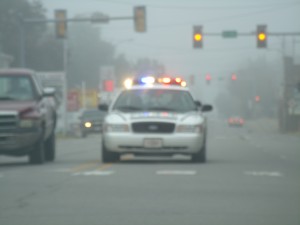
Police car on emergency call
The days of suffering through retail congestion are becoming a thing of the past. How do you join this online shopping movement without compromising your security? Here are safety tips for shopping online this holiday season.
If you don’t have an antivirus program installed on your computer, that should be the place to start before you shop and give out valuable personal information like your credit card number. Internet safety, in general, begins at home, so make sure you protect yourself as you venture to websites. Several antivirus software packages are available, so check reviews. Your internet provider may have a discounted price as part of your service.
One way to guarantee your safety online is to keep your browser updated to the latest version. This way, you’ll have the latest technology when it comes to internet security. An updated browser will also keep phishing (those bad guys that try to get your data) filtered out of your computer, making sure you’re safe on the web.
Did you find that deal you were looking for? Check to make sure that the vendor uses a secure site to document the sale. Here’s one way you can tell: there should be a letter “s” behind the “http” in the web address, and a closed padlock icon to the right of the browser address. When you click to complete the order and enter your credit card information, those should be there – if not, browse away to a different merchant.
What happens to your information once you enter it? How does the merchant safeguard your credit card and personal information? The merchant’s safety and privacy policy should detail this; look for it and read it before completing a sale. Some merchants offer to create an account for you and save your credit card information for easy ordering. This is convenient, but it also makes shopping very easy – something you may want to avoid for security reasons, and to prevent the impulse buy.
The great thing about the internet is the information available: you can check reviews by other customers and find out if this merchant is on the up-and-up. Does it deliver on time? Are products as advertised? Look for reviews that don’t sound overly angry and aren’t an isolated customer service-type misunderstanding. A dozen reviews should give you a good idea what to expect. Also look for seals of approval by agencies like The Better Business Bureau to confirm a merchant’s reputation. If information is hard to find, consider taking your business elsewhere for safety’s sake.
You’ve investigated the merchant and found your item of choice at a great price. Time to buy, right? Make sure you check return policies; since you’re buying the item sight unseen, and it has to be transported, there’s always that chance things don’t work out. Make sure you know how this merchant takes returns, if at all.
Once you buy your item, you’ll want to print out your receipt (the merchant will give you this option after the transaction goes through). This will give your sales confirmation – a good way to protect yourself in case the vendor tries to charge more, or something goes wrong with delivery. You’ll receive this via email too, but print the receipt anyway, just to cover contingencies.
Are you ready to shop online? With these steps, you’ll make sure that your information is secure when shopping online. Then your holiday season can be merry, bright and cyber safe.
Source: Oskaloosa Police Department